

Copy Paste Proxmox Console: If you are a system administrator using Proxmox, you have probably been facing a problem: you can’t copy paste text (e.g. password) from your workstation to the virtual machine console in Proxmox (console noNVC), but probably for other console.
When you need to enter a long (>20 charachters) password, with special character and with another console (e.g. workstation in AZERTY keyboard and the console in QWERTY keyboard), it can be very difficult. If you enter several incorrect password, the account can even be locked!
The 3 different solutions
2) If your vm has the “serial port” configure, you can use qm terminal <id>, see Proxmox Wiki for more info. If the serial is not yet configured, a shutdown of the vm is required, which can be disturbing, specially for a Prod environment.
3) For an universal solution and as we face this problem several times, we were looking for a solution: ClickPaste. A fantastic opensource tool (written in .net) that can paste clipboard contents as keystrokes to whatever location you click
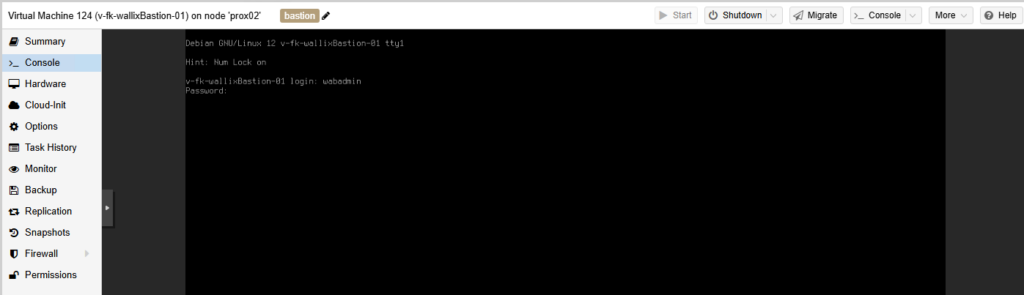
Let’s see a concrete example: login with the “wadmin” account to the Wallix Bastion vitual machine via the console; long password, complicate to type in.
Copy Paste Proxmox Console
First install the small software and follow their guideline (https://github.com/Collective-Software/ClickPaste)
Step 1: Copy the password (e.g. from your password manager) in your clipboard
Step 2: Click on the ClickPaste icon (notification bar near the clock) – the “round icon” (first on the left)

Step 3: Enter your cursor (which is now a “cross”) in the field where you want to type in (here next to “Password”:) wait 1 or 2 seconds and then press “Enter”
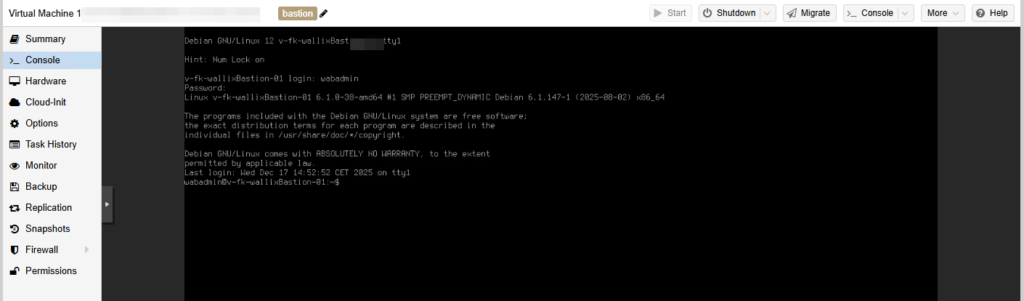
Step 4: you are now logged in, without struggling
The same “copy/paste” technique is always working on Hyper-v console, Vmware console, Azure console and also on Windows virtual machines.
You can now right click on the ClickPaste icon in the taskbar and “Exit” the software.
This small tips can save you a lot of time cause it’s not uncommon you need to enter several times the same password (e.g. after reboot).
This tips can be also useful for some pentest, to automate some bruteforce attacks into console, specially virtual appliances.